
 please implement all of the choosable taskbar doubleclick options to the tray icon left-click settings in the tray right-click menu.
or at least make the autohide toggle function available, because i have usually no empty space on my taskbar to click.
or binding it to 7tt icon double-click also would make me happy :)
thanks.

drag/reorder pinned files in pinned programs (like excel)
Is it possible to reorder (drag & drop) pinned files within a pinned program on the taskbar? I have several files in excel that i go to often, and all of then are pinned, but would would like to reorder them.

Shift-right click menu hidden by thumbnails
I tried searching old threads for this, but I'm confused about the name for the Win 10 menu I need to access. It's the one with the choices: cascade, show windows stacked, show windows side by side, restore all windows, minimize all windows, and close all windows. It's been around since Win 7, I think.
Normally, that menu shows when you shift-right click a grouped set of app windows in the taskbar. My goal is to restore all windows of a group at once ("restore all windows" in the menu I referenced above).
With 7+ Taskbar Tweaker, I love the feature that shows the thumbnail previews on hover. The problem is that the hover doesn't go to the background when I shift-right click. The thumbnails cover the menu I referenced above. I can't see the options, although I can choose them by arrow key. If I can't see what I'm choosing, however, it's risky to use it.
If I disable thumbnail previews on hover, using the list, the problem goes away. The list goes to the background when the menu referenced above is shown. But if I switch back to the thumbnails, they won't go to the background and they cover the menu.
I'm on Win 10 Pro 1803, 7+ Taskbar Tweaker 5.6. No other mods to taskbar or desktop.

A suggestion for this already exists:
https://tweaker.userecho.com/communities/1/topics/18-full-function-recycle-bin-in-the-taskbar

Auto Change Application ID
Add the function "Change Application ID" in the advanced settings tab autochange ID. For example, in Taskbar Inspector we select the program and, through the choice of ID, put a tick "Remember selection".
It is useful when the program by ID tries to manage groups or when it is not necessary to see several previews for a certain program. For the second variant, the sample program: https://tweaker.userecho.com/communities/1/topics/846-group-windowsform - changing the ID allows you to switch to the program faster due to the lack of a preview, but changing it is inconvenient each time.
You can also try to create this function so that you can create groups of programs at will. For example, by program type: Audio players / video players, browsers, text editors. Even so that the programs were close at launch within the same group, but divided into the taskbar.
Your request sounds similar to this, if I understand it correctly:
https://tweaker.userecho.com/communities/1/topics/99-group-id-memory
See my answer there. In general, it would be possible to assign an AppID by the program's path, but I don't plan to implement it.
Allow to ungroup a single window with multiple thumbnails
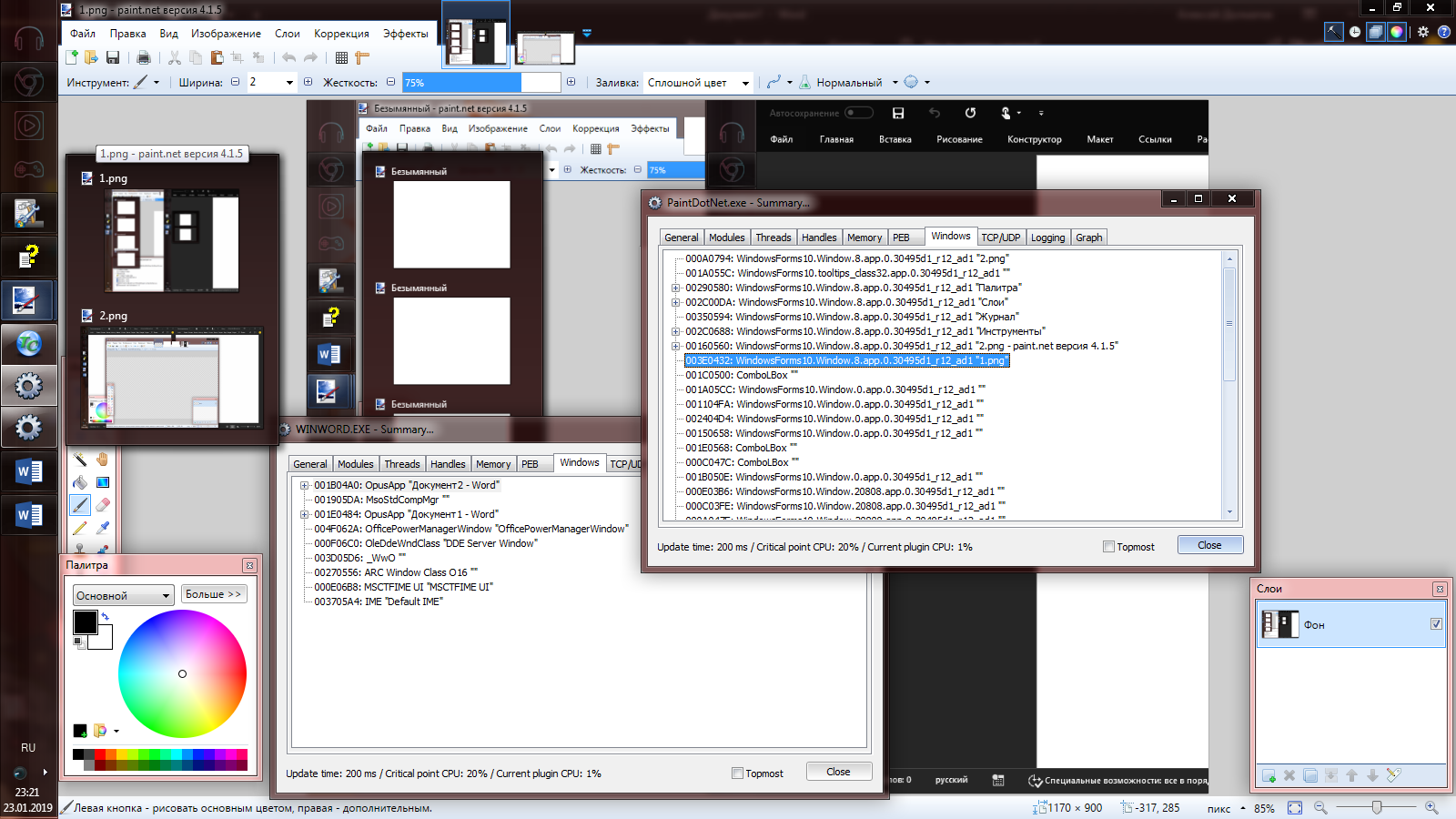
Please consider "teaching" the program to divide the forms into separate windows so that you can assign an ID name and manage the grouping.

 7+ taskbar tweaker could not load library (1)
Error message at startup followed by explorer crash. This is disrupting the autostart of several other programs.

Center tray in vertical taskbar
When the taskbar is aligned vertically and resized to the smallest width possible with no_width_limit, the tray seems to look off-centre

Middle click thumbnail to open new program instance
In Windows, by default, middle clicking a thumbnail closes programs.
However, it is nice to have 7+ Taskbar Tweaker do it for the taskbar.
What I would like is a setting for thumbnails where I can make it open a new program instance. In effect, it would be as though the default middle click behavior for the taskbar and thumbnails were switched with each other.
Large / Small Taskbar Icons Combined
Large icons (by disabling "Use small taskbar buttons") sets the buttons on the taskbar to something like 48x38 in size. Small icons sets the button size to ~38x28. What I'd want is 48x28 buttons (preferably even smaller height if possible) with the smaller 16x16 icons. Is it possible to combine the large and small setting like that in some simple way?
There's this registry tweak to control the width of the taskbar buttons:
https://www.tenforums.com/tutorials/104754-change-width-taskbar-buttons-windows.html
Apart from that, there's the w10_large_icons advanced option of 7+ Taskbar Tweaker.
I don't plan to invest in further customization of the button/icon size for now, sorry.
Service d'assistance aux clients par UserEcho


