
 One app keeps moving after unlocking remote desktop
Hi, I have v5.14.1 installed onto my remote desktop (Windows 10 version 21H2). One of my app's icon keeps moving to the far end of my taskbar, after unlocking the remote desktop or reconnecting to it. I've only noticed this happening to one app: Idera Rapid SQL (version 18.2, 64-bit). Any ideas?


 Restoring the standard menu doesn't work on newer 7tt versions with StartIsBack
First, I know this has been addressed before.
Either on the side of 7tt or by the StartIsBack devs.
I just can't find it and can't remember.
But the newer versions do not work with StartIsBack's taskbar jumplists. (Behavior is consistent with StartIsBack jumplists overriding 7tt's menu.)
I do not know how the 2 interact behind the scenes and I do not wish to assign any blame in any of this.
But I am curious what the situation is.
And I want to make one observation:
7tt v5.11.3 coexists correctly with StartIsBack.
Logically that means that a change can be made on 7tt's side that can restore fix things. (No clue how practical it would be.)
Ultimately it does not matter too much.
One can
a) Either disable the StartIsBack jumplists (I personally use them rarely)
b) Remain on v5.11.3 forever (It works on 22H2, which microsoft has recently state will be the last major update to W10, so no breakage is expected.)


Sort buttons in groups by regexp
I would love the following feature: to be able to define how exactly the group is sorted.
I would like to define a regexp-based replace on the window title and sort only after the replacement. I am working with SAP application and it puts more important information (system ID) later in the title, and less important (window number on that system) earlier in the title.
This setting could be definiable per program.
And if the regexp returns no match, then no replacement should take place, and original title should be used for sorting.

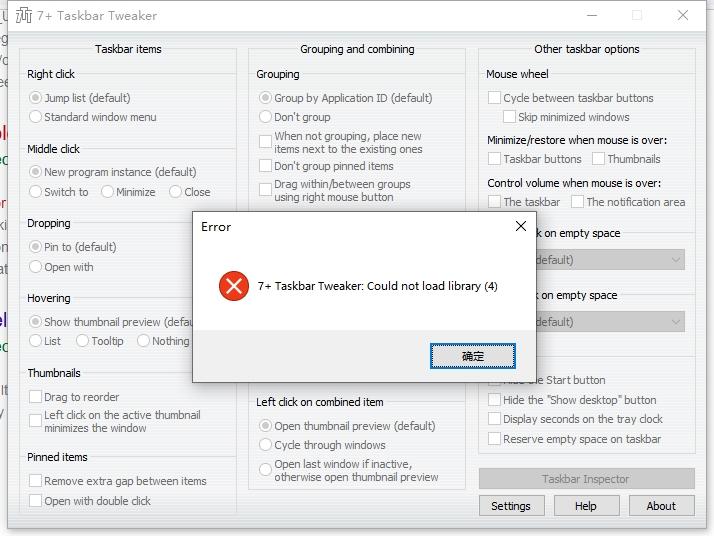
 7+ Taskbar Tweaker: Could not load library (4)
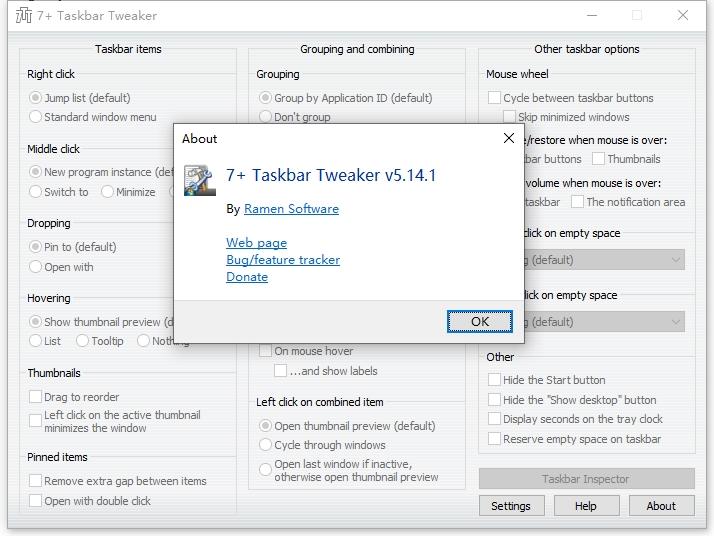
v5.14.1
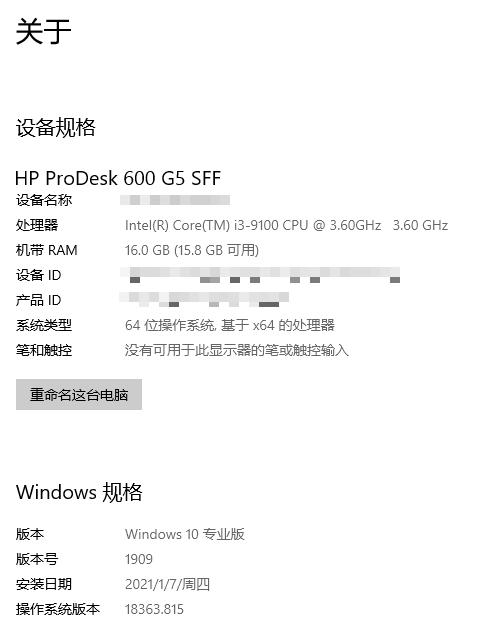
Hello, currently the taskbar on my computer will prompt [Could not load library (4)], which cannot be used normally.
I have tried to uninstall and reinstall the latest version, but it still doesn't work.
May I ask what might be the cause of this?
Finally, thank you for developing this useful software.
colorize ungrouped
Im software developer and has often many IDE application opend. So I have to switch often between them.
So I use your software for non group icons without text.
But when I have a lot, it should be nice to target the good window. Not easy when there are a lot.
So maybe if you gnenerate a random color for each, like this easy to know the good target

how to never group a exe using regex or wildcard
I have a exe. when it was updated, its path will change , so I need to do "group>never" again,
how to do that using regex or wildcard ? like C:\dir1\dir2\ * \bin\xx.exe
thanks!

fix width or fixed taskbar button location on taskbar
I want to be able to have task button have a fixed width. When opening new programs, the width of the task button changes, which moves the position of the task. But I want the task to be in the same position.
Alternatively, the user could pin the task button EXACTLY in a fixed position on the taskbar, with a fixed width.
This would really help to keep things organized as I open more tasks on a single desktop.
update manually button
add button to allow users to jump directly to the latest version. I am prompted that an update is available, but there is no link to the update file itself (for those without auto-updates enabled).
Servicio de atención al cliente por UserEcho


