
 7+ Taskbar Tweaker: Could not load library (1004)
- Error: 7+ Taskbar Tweaker: Could not load library (1004)
- (Stopped working after windows update. Maybe KB5043076?)
- Microsoft Windows 11 Pro 10.0.22631 Build 22631

Looks like the issue below, closing as a duplicate.
https://tweaker.userecho.com/topics/1307-7-taskbar-tweaker-isnt-compatible-with-startallback-38

 Double click on empty space minimize/restore all windows
Double click on empty space minimize/restore all windows
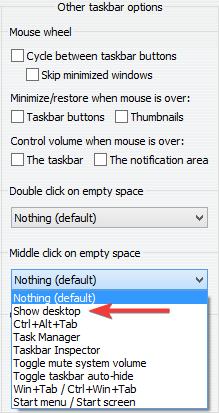
Control volume when mouse is over 'the notification area' stopped working on secondary monitor
This happened after these Windows 10 updates.
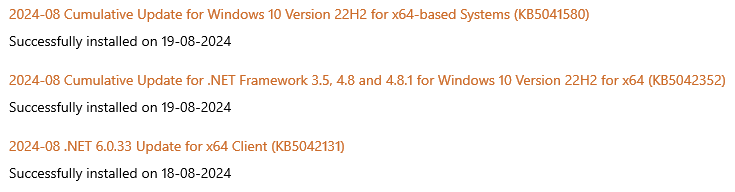
It is working fine on the primary display.

Display seconds on the tray clock not working on secondary screens (again)
Tried v5.15.1.2 beta but it doesn't seem to fix it.
Explorer crashes when the Task View button is clicked
This only started happening recently, so I assume it's caused by a Windows Update. And I managed to pinpoint this to a specific option in 7+ Task Tweaker.
Basically, when the Task View button is clicked, Explorer crashes if the "Display seconds on the tray clock" option is enabled. If I disable that option, the Task View behaves normally.
Windows 10 version 22H2
Build: 19045.4780

Preserve Desktop 1 Taskbar organization when I switch to Desktop 2 and back to Desktop 1. Right now it gets jumbled.
I have 2 desktops and keep Desktop 1 in a specific order. When I switch to Desktop 2 and then back to Desktop 1 the Taskbar has been rearranged and not as left it. Is there a Setting to avoid this or is it a bug? Thanks! Love 7+ TT.

Failed to inject the library into explorer
Failed to inject the library into explorer. This is usually causedby an antivirus, which denies access to explorer due to securityconcerns. Try whitelisting the tweaker or contact your antivirusvendor for support.

Windows 10 Pro - 22H2 (2009: 19045), Tweaker 5.15.1: restarting explorer throws Tweaker error message
I think the error was about a library or (if this be different DLL). I restarted Windows Explorer for a second time and saw no error message.
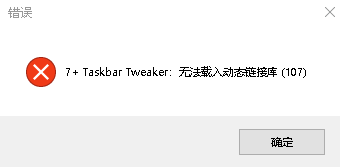
According to the short error message, you're using quite an old version. Please update 7+ Taskbar Tweaker and let me know if the error persists.
 Decombine on mouse hover only working on primary monitor when taskbar set to auto-hide
I have multiple monitors and run the taskbars vertical.
Taskbar settings: unlocked, Auto-Hide, small buttons, peek disabled, combine always - hide labels
Taskbar Multi-Displays settings: taskbar on all displays, buttons on all taskbars, Combine always - hide labels.
TT is set to group by App, Combine grouped buttons, and Decombine on mouse hover.
For some reason, my primary monitor is the only taskbar which properly decombines on hover. For my other monitors when I hover a multi-doc app button, the button does not expand (see screenshots).
It does not matter if my taskbar is vertical or horizontal. I did notice that if I turn off the taskbar auto-hide, then all monitors work perfectly to decombine.
Non-primary monitor. Auto-hide on. When cursor moves over "Chrome", the same vertical space is used to show the two open windows. So, it is kinda decombining but only into a small vertical space. A horizontal taskbar behave similar in that it divides the normal button space.
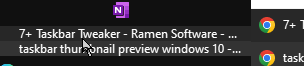
Non-primary monitor. Auto-hide on. When cursor moves over "Word", "Word" disappears and the same vertical space is sliced into horizontal lines with each representing an open doc. This example shows this issue in a more extreme case with many docs open.
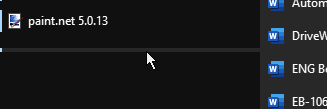
Now, I turn auto-hide off and mouse over "Word". This works correct on all monitors.
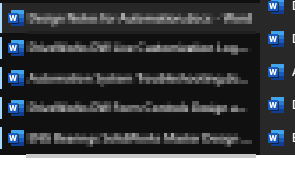
Any ideas on how to make decombine fully expand with taskbar auto-hide turned on? Thanks for the help. This is a fantastic program.
Customer support service by UserEcho


