
 Double-click speed for mouse button events
I have mouse button click events setup for ctrl+lclick and ctrl+ldbclick. The problem I have is that, in order for ctrl+ldblclick to work, I have to double-click super fast. Much faster than a normal double-click. So fast I rarely manage it, so the event is constantly being recognised as a single-click. Is there any way to increase the length of time between clicks for it to be recognised as a double-click?

group only if more than 2 windows
If not already possible, can this be added:
group windows only if there are more than 2 (or N, configurable) in a group
For example, if there are 2 windows of some app, I would rather have them independent on the taskbar, but if I start 5 instances, it would be better to have them grouped.
PS: Explaining the difference between grouping and combining would be nice too ;-)

 Build Taskbar Tweaker success but can't run.
Hi , Thank you very much for your software .
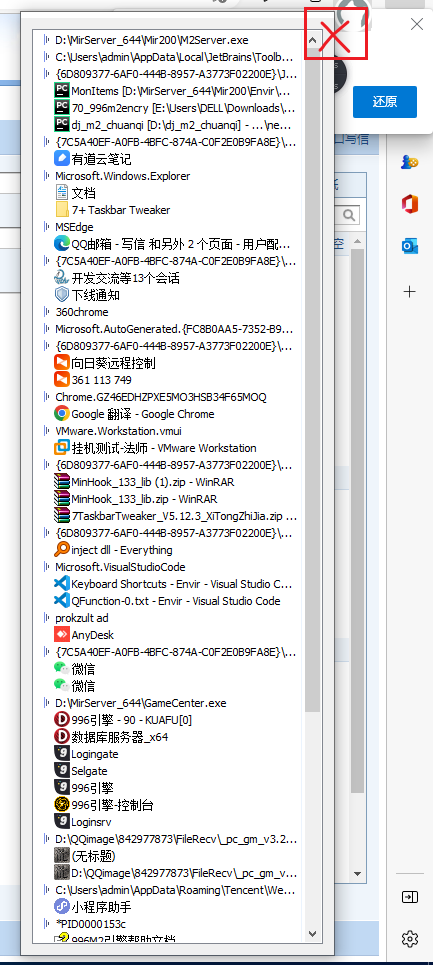
I like TaskBar Inspector very much , and I want it to be on top and only hide the window when I close it.
I'm trying to compile the code myself, but I don't know why inspect.dll cannot be loaded .
I use vs 2019 . and build inject.dll success (just 260kb , I download 5.12.3 Taskbar Tweaker , found inject.dll has 325kb)
I don't know why.
Can you help me , thanks.
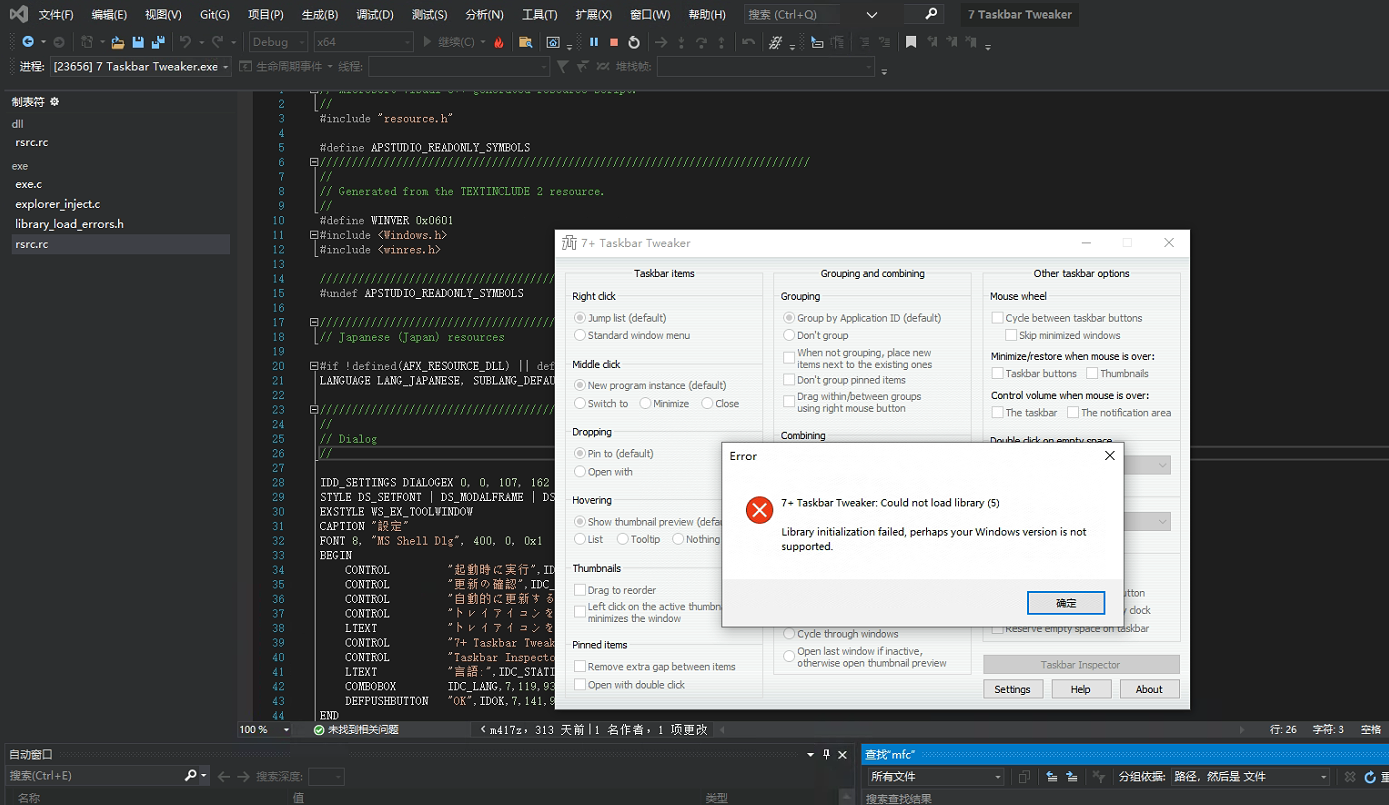

 Version 5.14: occasional 'Cannot start' error
I find that occasionally on version 5.14, and Windows 10 Pro - 21H2 (2009: 19044), I get the old 'cannot start' error when the program runs on boot.

customizable audio device for volume control
hi... i have many audio devices.... i have special configuration that allows me to capture what i am listening, i use this configuration for video conferencing for example, for remote people could hear what i am playing (for showing videos for example)
so, my output device to my speakers IS NOT my default device... so when i point the system tray and move the mouse wheel i am not changing my playing volume but my recording volume.... i still hear low, but my conferencing partners blow their ears without me noticing
i would like an option to select the audio device when controling the volume with 7tt... thanks for all

Close window on right click.
Currently, the "Right click" options contains "Jump list" or "Standard Window Menu" - could it also contain "Close". So that right-click on a taskbar item closes the window?
I believe that's a very simple feature to add. It was a possibility in a similar Tweaker program for Ubuntu - so it would be nice to have it here as well.

That's already possible with the advanced options. See my answer here, and adjust the value accordingly:
https://tweaker.userecho.com/topics/949-right-click-on-taskbar-items-to-minimize-window
A folder icon is being incorrectly displayed
Hello,
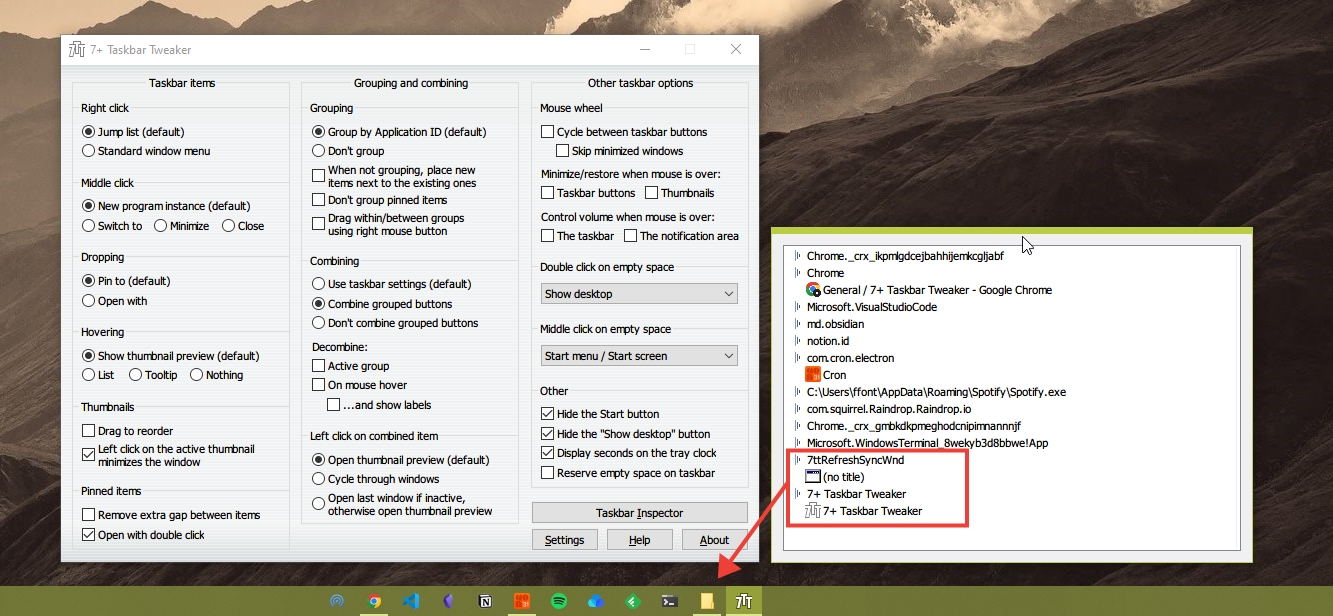
Eventually on my taskbar, it occurs to appear an annoying folder icon is displayed, sometimes it pops out when I go to task manager and restart explorer.exe, sometimes it only disappears if I restart the computer.
I have used the provided tool called Taskbar Inspector, and it shows that the annoying folder is called 7ttRefreshWnd
Can you help us to solve it?
Here is the screenshot to help me explain what is happening:

Where is 7TT installed on my PC?
I have Windows 10 on a very new PC with a solid-state drive. I accidentally shut down my PC instead of putting it to sleep, and when I restarted it, 7TT wasn't installed. Now I can't find it in either of the Program Files directories; I can only find the installation file in the Download directory. Where is this program installed on my PC?
The tweaker is installed in the %LocalAppData%\Programs folder by default. This way, administrator rights aren't required for the installation.

run with start is failure
my version is v5.13 and win 10. I cannot start with the system automatically.
Пожелание: Разделитель в панель
Добрый день. Прошу по возможности добавить разделитель в панель. Будет очень удобно делить запущенные приложения по некоторым группам. Заранее большое спасибо
Служба підтримки клієнтів працює на UserEcho


