
 [Win7]Beware of a Strange Mutation of the Thumbnail Preview
No preview would be shown and that of the active window can only have its label pop up, no matter how the default settings are changed. Possbile frozen on the hover action(s) and/or clicking action might also appears randomly.
The possible sequence 1/ to trigger the mutation:
- set the taskbar appearance to "Auto-hide" with the buttons "Never Combine"
- set the Combine grouped buttons
- set decombing on mouse hover only
- sleep/standby and wake the PC
Frozen right click action on the tray icon might also experienced. After 1/ happened, the following behaviours cannot be executed correctly:
Advanced option: mouse control (taskbaritem|lclick) vaule 7
AND
Defines the preview to show when hovering over a taskbar item:
List
such that only list can be triggered but no thumbnail preview was shown at all for combined items. No anymore thumbnail can be triggered if and only if not triggering the "This option doesn't have any effect when the "Combine when taskbar is full" option is chosen in the taskbar properties.".
Possible Preventive Measures
Restart the problematic program before sleep/standby.
Never set taskbar buttons to "Never combin" together with non-default combining/grouping option(s).
Use only default Windows 7 theme before and during 1/.

Win 10 Explorer crash on reordering, target group losing order (5.11.3)
When moving a window across multiple groups to a big group, Explorer crashes (reloads), losing order in the target group AND some windows move out of their snapped positions, as if I reconnected the screen.
Specifically, this happens when moving a Git Bash window across Calculator and Chrome (main profile) groups to the Visual Studio Code group, the reload is triggered when I get to the target group, before I release the right mouse button.
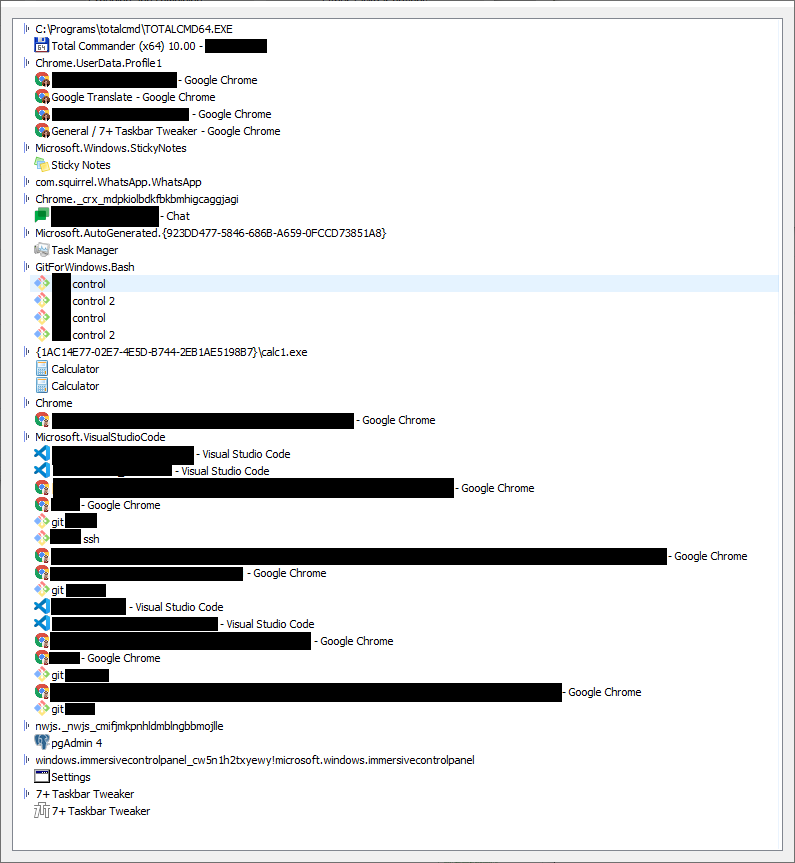
I use the right mouse button to reorder my windows. Grouping is disabled, I use vertical taskbar that is tall enough to show all windows including titles.
I have two screens, secondary is Full HD with taskbar at the bottom (I don't really use the taskbar there, but it is there), primary is 4K with vertical taskbar on the left and that is one I drag windows at. Both are at 100% zoom (with matching DPI).
I use 7+ Taskbar Tweaker v5.11.3 and Windows 10 21H1 (completely updated today, the issue was there after restart - but it was happening before too).
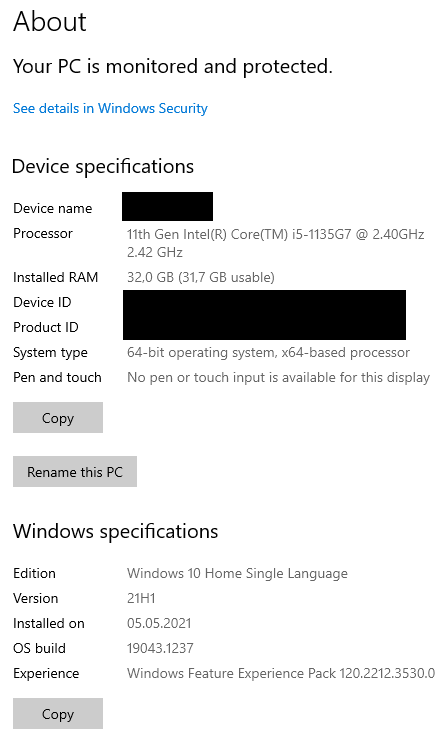
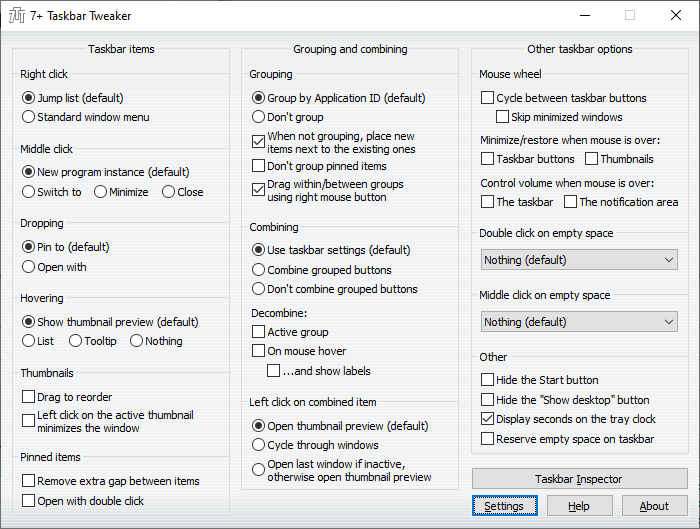
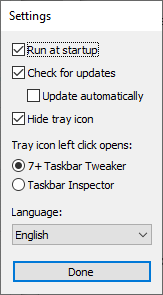
By the way, thank you VERY much for this utility, it makes my Windows experience way more pleasant!

 Is there a setting in Tweaker that will lock each icon in a group to be in the selected position and not move?
I have used for years, donated at least twice, LOVE IT, LOVE IT, LOVE IT! The ability to drag the icons inside a group just like on the taskbar is INDESPENSIBLE, and anytime Tweaker "breaks" for a few days or so waiting for an update I go thru withdrawals!
I have one program that the icons within the group are constantly rearranging themselves. At random, they never arrange to the same places, always different places at random. I use more than a dozen windows in this program, and WANT them to stay in th same positions where I place them. I use Tweaker to put them back each time, but next time I hover over that group, they have randomly rearranged themselves again. Does Tweaker have a way to "lock" them in the order I set them, and not allow them to move?

 taskbar hides upon starting of 7+ Taskbar Tweaker if the option "hide start menu" is checked
taskbar hides/ upon starting of 7+ Taskbar Tweaker.This happens only if the below conditions are satisfied
1. If the option "hide start menu" is checked in 7+ Taskbar Tweaker and
2. If the software "max tray player" which a taskbar player if being showed up on taskbar.
This only happens in windows 10-64bit. I have installed the same softwares in windows 7-64bit on another system but there is not such bug.
Advanced options: Reverse mouse scrolling for sndvol
If you reserved the mouse scrolling in general. The scrolling of the sndvol feels unnatural.

After Win10 update, middle clicking on combined/grouped items no longer displays group of thumbnail previews.
I'm not exactly sure what the difference between combined and grouped is, but after updating my Windows 10 version (bad idea I know), the functionality that showed a group of thumbnail previews when you middle clicked on a combined/grouped item no longer works.
I'm guessing the functionality is broken across the app, because "Open last window if active, otherwise open thumbnail preview" fails to show a group of thumbnails as well.
It looks like the thumbnails appear for half a second and then they disappear.
I've re-installed the app and even cleared my settings.
Edition Windows 10 Enterprise
Version 20H2
Installed on 3/16/2021
OS build 19042.1165
Experience Windows Feature Experience Pack 120.2212.3530.0
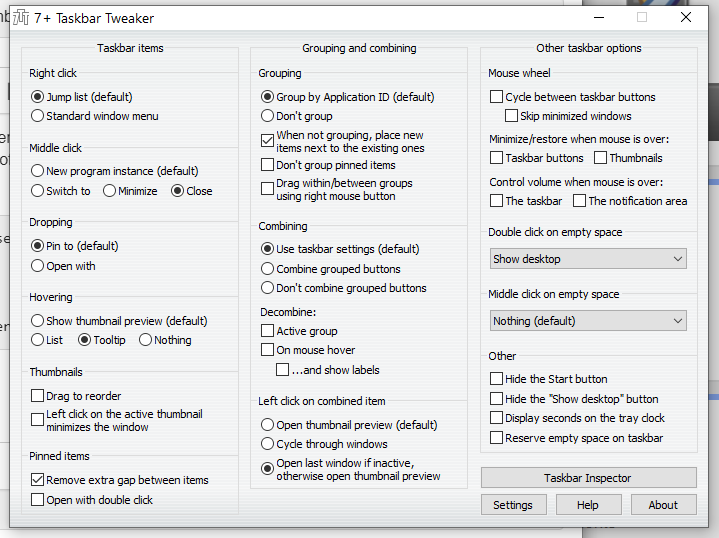
I've posted a screenshot of my app settings:
win10 doesnt run at startup
Its work when i start it manually...
I have 'run at startup' checked but it doesn't - is this a bug?
Also doesn't run when I put a shortcut in the startup folder or task sheduler.

The new version conflicts with QTTabBar
Hello Developer
The new version (v5.11.3) will conflict with QTTabBar(http://qttabbar.wikidot.com/), and the context menu cannot pop up after right-clicking the folder in the Explorer. Explorer will freeze.
OS:
Windows 10 Professional Workstation Edition - 21H1 (19043.1110)
QTTabBar (1043 & 2048 beta 1)

Hotkey click to toggle Bring to Front+Raise and Minimize All Windows in a Group
In the Advanced Options->Mouse Button Control, you can add a shortcut such as:
taskbaritem|ctrl+click 12
which restores all windows within a specific group however it seems like you need a second shortcut to minimize the grouped windows:
taskbaritem|ctrl+shift+click 9
Could a new "value data" function (eg 16) be added such that it toggles with a "Bring to Front" for all windows in a group too?
The way, I've set up 7+ Taskbar Tweaker is to show all the windows in a group (on the taskbar) and some windows in the group are not limited to the same app.
eg.
Group1: FirefoxWindow1+NotepadWindow1
Group2: FirefoxWindow2+FirefoxWindow3+NotepadWindow2
If there was a single hotkey(+mouse click) to bring all windows of a specific group to the front then it helps to focus on a task that relates to those specific grouped windows. You can think of these groups as "Workspaces" for specific tasks.
The reason to add the "Bring to Front" inclusion is that if you have multiple windows open (not minimized) but not "in front" then the shortcut to "Restore group windows" is ineffective it only brings forward the current window on the taskbar that your mouse is over whereas I would like to have them all brought forward. Currently, you have to manually click a specific window rather than lazily Ctrl+Click one of the windows in that group to bring them all to the front. Additionally, manually clicking a window in that group may also change the layering of which is in front of which windows. One single shortcut to simply maintain the group layering but minimize and restore them to the front is good for focusing without needing to re-layer clicking the windows back into the preferred overlapping order. This is more relevant when you have groups with 3 or more windows and your screen space is limited so you positioned certain windows above other windows on purpose.

Cycle between task bar buttons with key combination
Is there a way to add in a key combination also for cycling between the task bar buttons? Say for example, you have multiple windows open and you need to click in same area on each one. Instead of moving mouse to task bar, rolling mouse, then move mouse back and click, you could do the key combination to move left/right through the windows

You can achieve this with the advanced options. Refer to the help file for more information.
Klientų aptarnavimo paslaugos teikia UserEcho


