
 Show status of Cap Lock and Num Lock buttons, please?
Modern wireless keyboards and notebooks do not show clearly the status of the Num Lock and Caps Lock buttons (if they're toggled ON or OFF). It would be absolutely awesome and useful if we can choose to see the status of these buttons on the status bar.

I won't be adding it to 7+ Taskbar Tweaker, since it's not necessary to tweak the taskbar for that. There are programs which show the status of these buttons in tray icons. Here are a couple of examples:
https://www.softpedia.com/downloadTag/Num%20lock%20indicator

Disable "X-mouse" focus switch
Hi, I am still on Windows 7, and would you make mouse focus always be kept on the taskbar possbile when Winkey + T or Num 0-9 are triggered even if the "X-mouse", or the "Activate a window by hovering over it with the mouse" function is enabled so as to not sudden switch the focus back to the hovering window, thanks a lot.

 Double click on empty space. Option Show desktop.
When I double-click on an empty space in the taskbar, the first click doesn't produce any action. Only the second click shows the desktop.
OS:Windows 10 Pro
Allow different Thumbnails/List options for different actions
The option List under Hovering actually completely disabled the thumbnail previews
Why I say so is because when I set the taskbaritem|lclick to 7, only the list is pop up instead of a thumbnail. This means the taskbar can either show list or thumbnail at one time but cannot allow to show both of them at the time needed?

Mouse button control not closing all group items
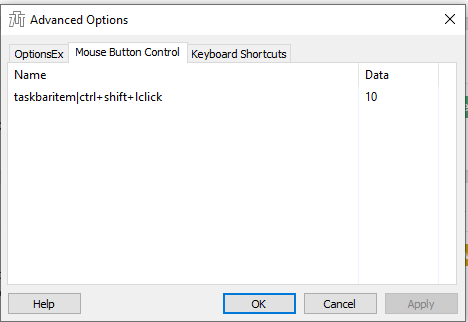
My mouse button control for closing all group items doesn't work. It works as if 3 is the data instead of 10. Is this a bug or am I doing something wrong?
w7 64 bit : impossible to install latest update
7+TT v5.12.3
error message something like setup incompatibility with the 64(?) 32(?) bit...
That might happen if there's a temporary problem with the server or with your internet connection. Can you please try again? If that happens every time, please let me know and we'll try to understand what causes it.

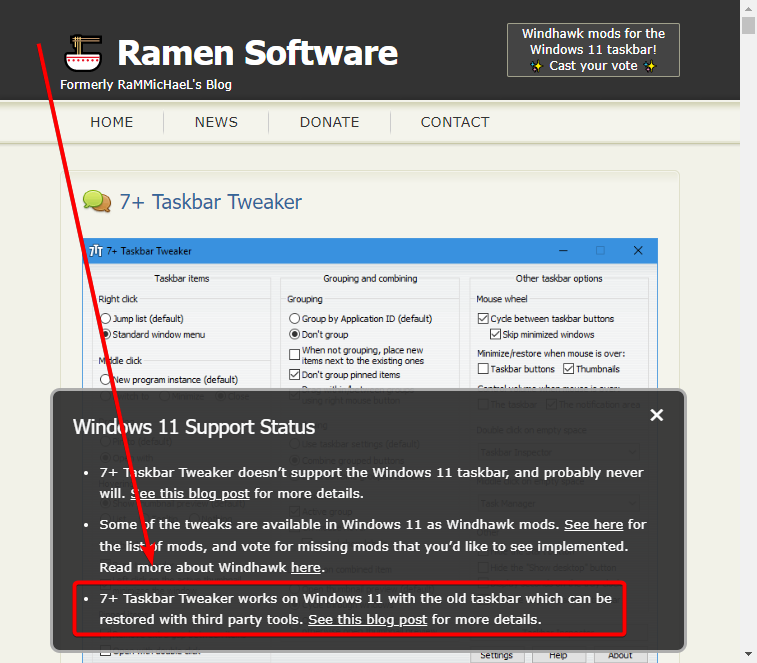
You probably know this already, but 7+ works under explorer patcher!!
when set to WINDOWS 10, 7+ works just fine.
Yes, I wrote about it here:
https://ramensoftware.com/7-taskbar-tweaker-on-windows-11-with-windows-10s-taskbar
And linked here:
https://ramensoftware.com/7-taskbar-tweaker




Start program COMPLETELY hidden, icon only in System Tray
The current program setting in with the "-hidewnd" only minimizes the application to the Taskbar. Can we opt or change the setting to minimize the application to System Tray?
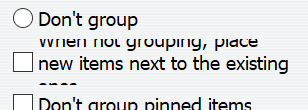
"When not grouping..." text is cut off
In the "Grouping" configuration area the "When not grouping, place new items next to the existing ones" text is cut off on the top and bottom.
Servicio de atención al cliente por UserEcho


