
 Could "Taskbar Volume Control" Support Taskbar at "Windows10(Explorerpatcher)" Mode?
"Taskbar Volume Control" is no fuction when Explorerpatcher is setting Taskbar mode at "Windows10(Explorerpatcher)"
Thank alot
I found the opition
Customize the old taskbar on Windows 11
Enable this option to customize the old taskbar on Windows 11 (if using ExplorerPatcher or a similar tool). Note: For Windhawk versions older than 1.3, you have to disable and re-enable the mod to apply this option.

 7+TT无法载入动态链接库
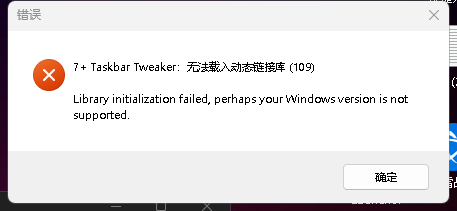
7+ Taskbar tweaker : 无法载入动态链接库(109)
lIBRARY INITIALIZATION FAILED , PERHAPS YOUR WINDOWS VERSION IS NOT SUPPORTED

 Additional function for the mouse wheel
I would donate money if the option was available to scroll up and down in the taskbar using the mouse wheel. I have 5 rows of taskbar elements. The most important ones are in the top row. But if I want to reach the rows below, I always have to enlarge the the taskbar or click on the arrow icons in the taskbar with the mouse. Tedious.

Hi, thank you for the support, and for considering a donation!
It looks like the multipage_wheel_scroll advanced option is what you're looking for. Advanced options can be accessed from the tray icon's right click menu. Please refer to the help file for more details, and let me know if you need more help.
No Right click on firefox nightly
I have a weird bug on w10 22h2 and https://portableapps.com/apps/internet/firefox-portable-nightly
when I right click with the only tweaked option ''right click use the standard menu'' as opposed to the default list view, then nothing shows up. I just don't get any right click menu at all.
I tried other portable firefox, eg the dev edition portable, and they all work fine currently. I have used the portable nightly for years and there never was a problem, so it doesn't make any sense.
Right, the system menu is controlled by the program. There's a similar issue with Electron programs:
https://github.com/electron/electron/issues/12134

rearranging pinned jumplist folders is not moving one space up or down
A bug since 5.15.2 You can no longer move a Windows Explorer or Notepad pinned folder only up or down 1 line. It is impossible to arrange them in a particular order since it moves the folder 2 or more space up. Also It will not let you move a folder to the very bottom now.
Should I uninstall it and use an older version that worked perfectly. OpSys = Win7Ult.
Other "installed program" jumplists work just fine (Excel, iPhoto, Access, Word, various web browsers etc)

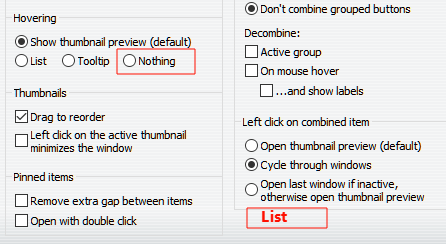
is it possible that do nothing when hover & left click on combined item to show list ?
like this: 👇
thank you !

Pinned _shortcut_ position not properly restored with virtual_desktop_order_fix set to 1
Please note:
For this report, please note the distinction between "application shortcuts" and "running application icons". I searched and found similar bug reports here (all fixed), but those were strictly relating to "running application icons".
Explanation of issue:
I have application shortcuts with custom icons that I use as separators in my taskbar. It seems, with virtual_desktop_order_fix set to 1, the positions of these shortcut icons are not saved across virtual desktop switches. The other icon positions seem to be preserved as expected, though!
Desktop 1:

Switch to Desktop 2 (no surprises yet):

Desktop 2 - Reorder Application Shortcuts (my spacers, little heart icons):

Switch to Desktop 1 (restores as expected):

Switch back to Desktop 2 (Application icons are reordered from how they were left, now matching Desktop 1):

As you can see, the "running application icons" are preserving their position for each desktop, but the "application shortcuts" are not.
Here are the shortcut properties, in case it's relevant:
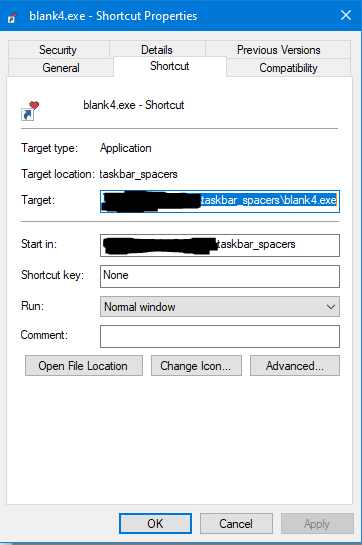
And the executables themselves are just empty files that I renamed with a .exe extension. Each shortcut has its own fuax .exe that it targets. I don't actually run them, obviously, they just act as separators. But beyond these separators, I think restoring order of application shortcuts is important in general.
Thank you for looking!

drag_towards_desktop causes Explorer crash
I have drag_towards_desktop set to Close (entry 4). It works fine on most apps, but when I use it on an Explorer window, Explorer restarts. It should close the window only, not restart Explorer.
I'm on Windows 11 running ExplorerPatcher.

AnyDesk in Win10Pro duplicates icon in Taskbar
HI!
I have AnyDesk in my Win10Pro pc Taskbar. I use it frequently.
When I click it, another AnyDesk icon opens in the Taskbar
--and--
this 2nd AnyDesk icon is positioned to the far right of the Taskbar.
I click 7+TT's "Taskbar Inspector," find the 2nd AnyDesk entry, right-click it, click
"Change Application ID," find the original AnyDesk icon, click it, & the two AnyDesk
icons merge into the original AnyDesk icon's position, saving me Taskbar space :-))
But, when I reboot the pc this setting is lost and I have to go through all the steps again :-((
How to make this setting stick, permanently . . . to remain through reboots?
Here's my current settings:
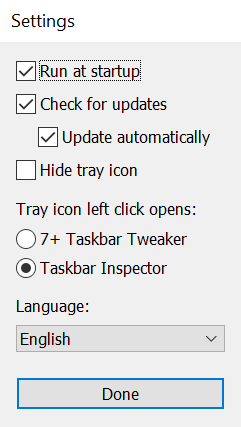
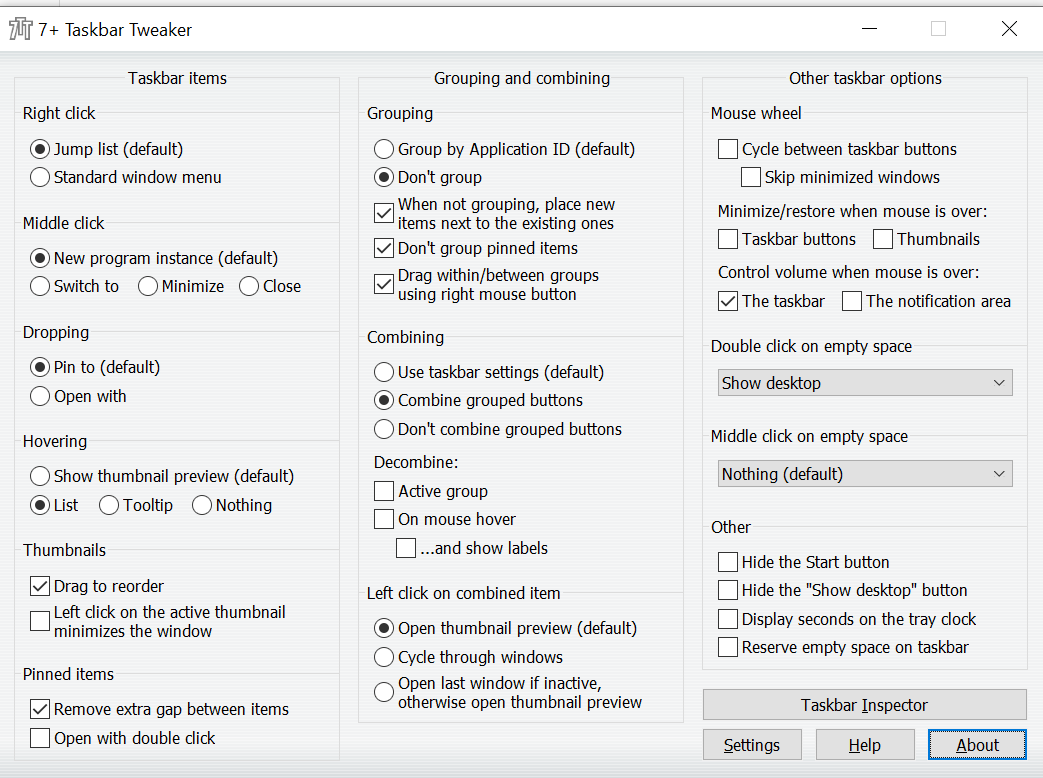
Many thanks for suggestions!
Služby zákaznické podpory by UserEcho


