
 I have just stated to get this message: 7 + Taskbar Tweaker: Could not load library (1004), any fix?
I have just stated to get this message:7 + Taskbar Tweaker: Could not load library (1004) any fix?

 cortana editor
i think it would be useful to edit cortana such as removing the microphone thingy, resize the cortana thing, and remove the "search the web" feature since i sure as hell don't use it ever

Feature Request: Show taskbar on multiple, but not all displays. (I.e. select individual displays)
For situations with more than 2 displays connected.

Run del.vbs Through wscript.exe Instead of Calling it Directly on Update
I have .vbs files associated with a text editor specifically so scripts won't run on my devices when I double-click them or when they're called by programs. On restart after updates of 7+TT, a text file opens up instead of the temp folder being erased.

7+ Taskbar Tweaker: Could not load library (5)
After system restart app stopped working with error "7+ Taskbar Tweaker: Could not load library (5)".
Windows version:1607 x64 LTSB
Prior to restart 1 windows update was installed (KB4480977).
Restarting Explorer.exe or Tweaker.exe cause same error.
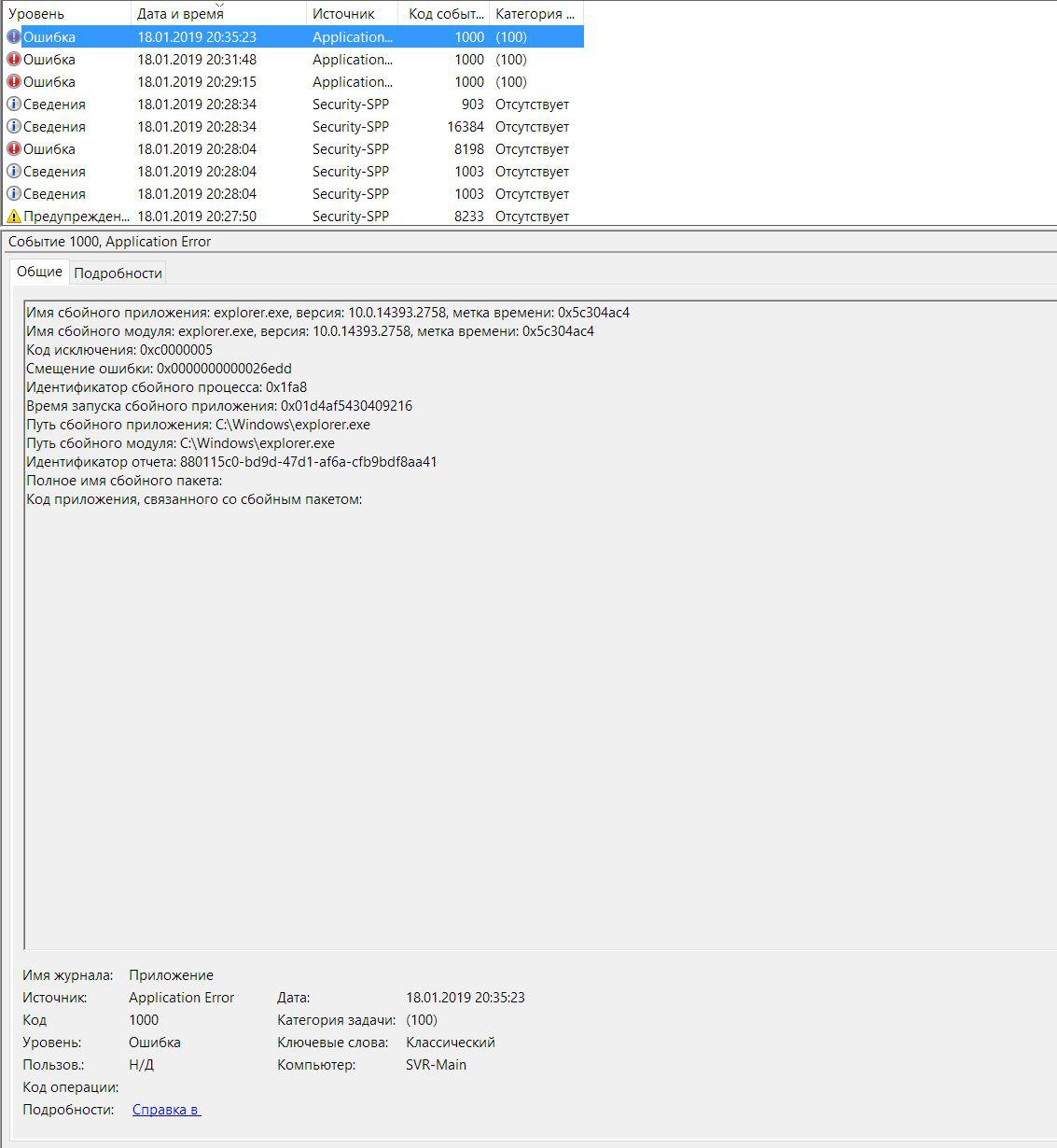
From event log (sry, for Russian):
Sort thumbnails automatically
Taskbar Tweaker allows for reordering the taskbar thumbnails.
But reordering them requires manual intervention.
It would be great to have a configurable sort function that would order the thumbnails.
Might be automatic ordering by name.
Or - and that's most important to me - ordering by X-axis position so that the thumbnail of windows on the right will be shown on the right side, too.
Clicking on the right thumbnail to bring the left windows to the foreground is not exactly intuitive.
And by the way: thanks for this nice tool!
Cheers
Klaus

Add option to set maximum number of jump list items
I use a registry setting to adjust the size of my Windows 10 Jump Lists to show more items, I got the info and .REG file from here:

The website is accessible on my computer. Please try again, and if it still doesn't work, please provide more details, such as the error message that you're getting and a screenshot.
Option to Disable/Enable Start Button Popup Display on Hover
When you move the mouse over the windows Start Button after a short hover delay the Start Menu auto displays. Please add an option to Disable / Enable Start Button Menu Display on Hover - when disabled, you would need to click the Start Button to display the Start Menu. Reason for Disabling is frequency of unintentionally auto-displaying the Start Menu then needing to click elsewhere on the screen to close the menu. Please ensure works in Windows 7 along with other Windows versions.
Customer support service by UserEcho


