
 Its possible FULLY disable ALL jump-lists feature in Seven taskbar?
Its possible FULLY disable ALL jump-lists feature in Seven taskbar? I very often have situation, when i click and move mouse on application on taskbar, and here instantly appear list with Close command, and i accidentally close application instead switching to! :( Help me please!!!
I do tweak for JL's - set delay to appear to 400 seconds, and its slightly easer my life, but problem still remains... :(
Please help! Its is possible even remove this baddest item (Close application) from lists???

Hi!
There's an advanced option to disable jump lists that appear by dragging.
You can access the Advanced Options from the main window context menu, or from the tray icon menu.
From there, you can find drag_towards_desktop and set it to 1.
Поведение нажатой левой кнопки мыши в панели задач как в WinXP
Замучило это в Win7, но 16Gb памяти и SSD заставляют ее ставить.
 Windows 8.1 Update 1 support

Taskbar Inspector - Selection by dragging
[I do not know if it's an idea or a bug]
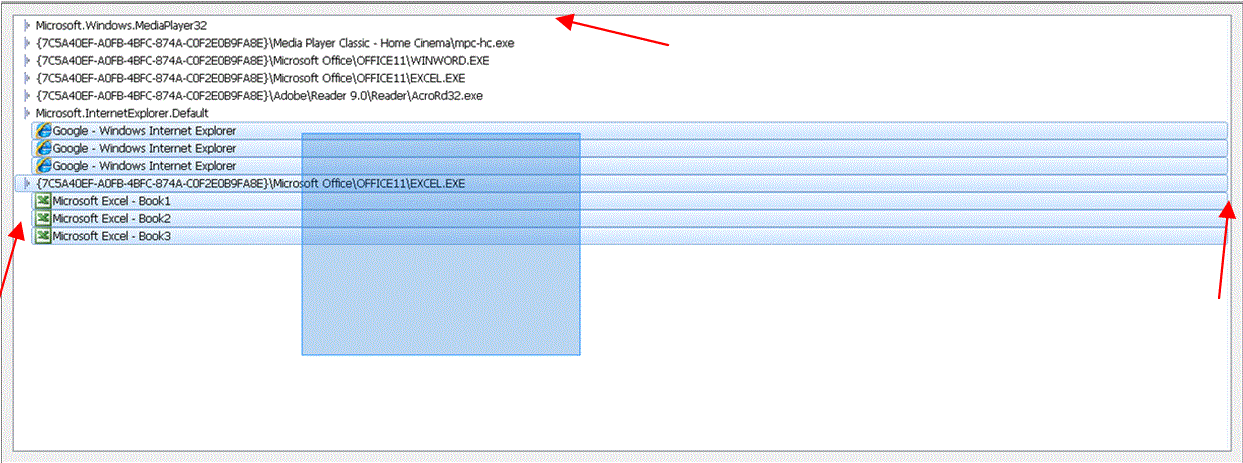
Add some spaces here and here and here, to make convenient the selection by dragging
Double click on a taskbar icon to launch a new instance of the related program
Scenario: there's a program icon in the taskbar (either pinned or not pinned).
To open a second instance of that program one can now right-click on its icon, wait for the Jump List to open, click on the program "mini"-icon inside it.
A simpler way could be to just double-click the program icon in the taskbar with the left mouse button.
Second, doing it with a double click is possible with the Mouse Button Control Advanced options:
Name: taskbaritem|ldblclick
Value: 4
See help for more info about the Mouse Button Control options.

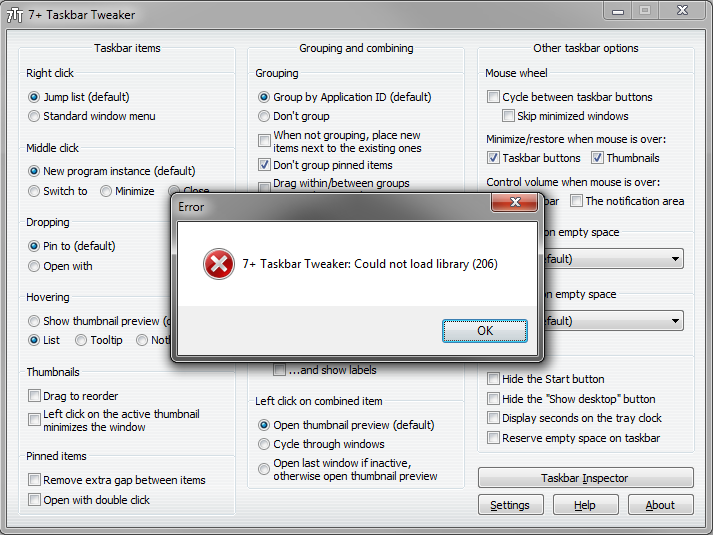
Latest Update shows "7+ taskbar tweaker could not load library (206)"

Single click on empty space to do something
There are Double Click and Middle Click options. Single click is sitting useless.
This is possible to do with registry options.
See help file for more details.
I don't plan to add it to the GUI as I believe it's not too important.

 on top
found it from here
https://www.csparks.com/Win7TaskbarMasher/
apparently the creater of this suggest 7+ as better alternative
both programs do the job partially
masher creates a process that keeps all windows above taskbar
however when u maximize a program it doesnt cover the taskbar so u still loose a portion of the screen
7+ is pretty amazing and can actuallly override that so a window can cover the whole screen
howerver when it does pressing the window button opens the windows start menu but the taskbar is still hidden behind the maximized window
how do i fix that?
Alternate view for Task Inspector
I think that it would be very useful for normal users to have an alternate view for Task Inspector where only the name of the windows is visible (like VistaSwitcher without images). For advanced users this view is also more productive when one only wants to rapidly find the desired window to activate.
Klientų aptarnavimo paslaugos teikia UserEcho


