 AnyDesk in Win10Pro duplicates icon in Taskbar
HI!
I have AnyDesk in my Win10Pro pc Taskbar. I use it frequently.
When I click it, another AnyDesk icon opens in the Taskbar
--and--
this 2nd AnyDesk icon is positioned to the far right of the Taskbar.
I click 7+TT's "Taskbar Inspector," find the 2nd AnyDesk entry, right-click it, click
"Change Application ID," find the original AnyDesk icon, click it, & the two AnyDesk
icons merge into the original AnyDesk icon's position, saving me Taskbar space :-))
But, when I reboot the pc this setting is lost and I have to go through all the steps again :-((
How to make this setting stick, permanently . . . to remain through reboots?
Here's my current settings:
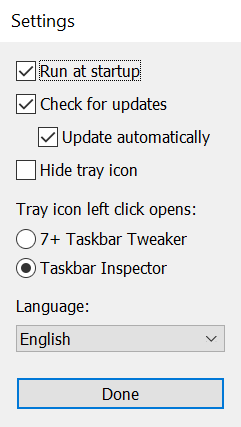
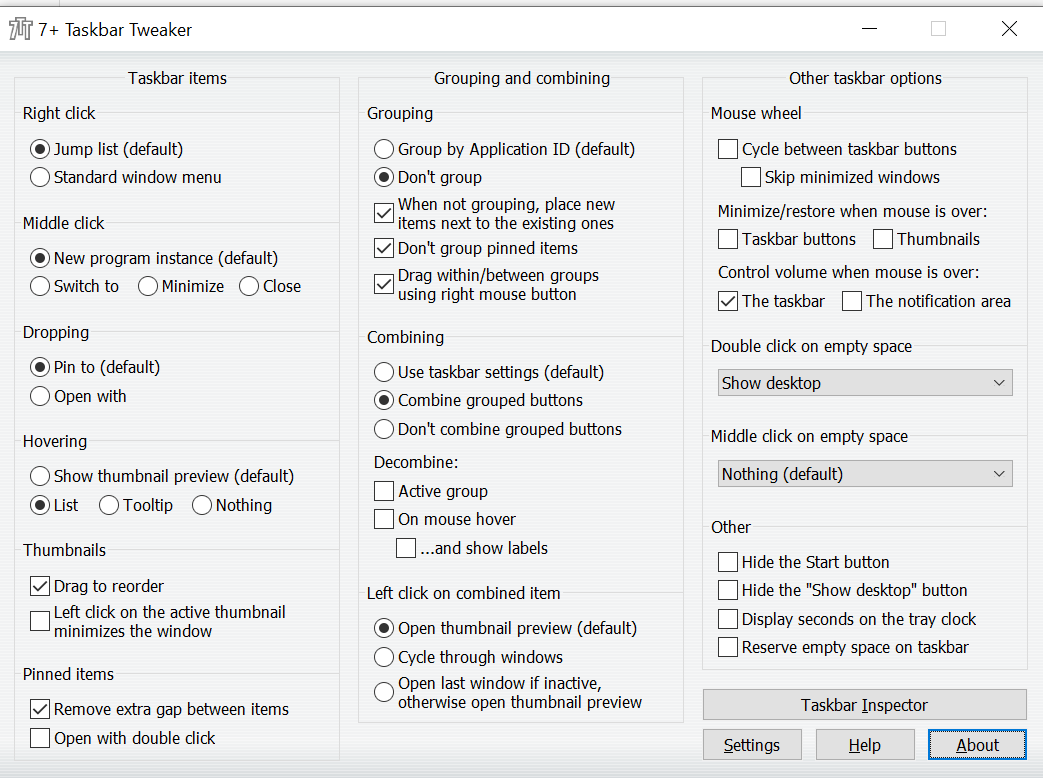
Many thanks for suggestions!

 7+ Taskbar Tweaker: Could not load library (1004)
- Error: 7+ Taskbar Tweaker: Could not load library (1004)
- (Stopped working after windows update. Maybe KB5043076?)
- Microsoft Windows 11 Pro 10.0.22631 Build 22631

Looks like the issue below, closing as a duplicate.
https://tweaker.userecho.com/topics/1307-7-taskbar-tweaker-isnt-compatible-with-startallback-38

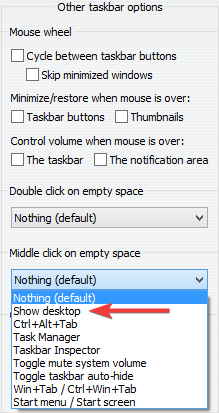
 Double click on empty space minimize/restore all windows
Control volume when mouse is over 'the notification area' stopped working on secondary monitor
This happened after these Windows 10 updates.
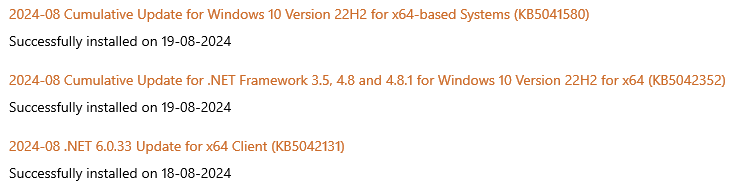
It is working fine on the primary display.

Display seconds on the tray clock not working on secondary screens (again)
Tried v5.15.1.2 beta but it doesn't seem to fix it.
Explorer crashes when the Task View button is clicked
This only started happening recently, so I assume it's caused by a Windows Update. And I managed to pinpoint this to a specific option in 7+ Task Tweaker.
Basically, when the Task View button is clicked, Explorer crashes if the "Display seconds on the tray clock" option is enabled. If I disable that option, the Task View behaves normally.
Windows 10 version 22H2
Build: 19045.4780

Preserve Desktop 1 Taskbar organization when I switch to Desktop 2 and back to Desktop 1. Right now it gets jumbled.
I have 2 desktops and keep Desktop 1 in a specific order. When I switch to Desktop 2 and then back to Desktop 1 the Taskbar has been rearranged and not as left it. Is there a Setting to avoid this or is it a bug? Thanks! Love 7+ TT.

Failed to inject the library into explorer
Failed to inject the library into explorer. This is usually causedby an antivirus, which denies access to explorer due to securityconcerns. Try whitelisting the tweaker or contact your antivirusvendor for support.

Windows 10 Pro - 22H2 (2009: 19045), Tweaker 5.15.1: restarting explorer throws Tweaker error message
I think the error was about a library or (if this be different DLL). I restarted Windows Explorer for a second time and saw no error message.
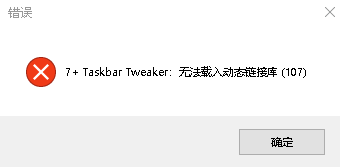
According to the short error message, you're using quite an old version. Please update 7+ Taskbar Tweaker and let me know if the error persists.
Customer support service by UserEcho