
 7+ Taskbar Tweaker
7+ Taskbar Tweaker keeps crashing every few minutes and needs to be restarted manually.

Could not load library v5.6.2
I updated 7+TT few days ago, and it gives me the library error on startup now. It was working fine before the update.
My Windows 10 version is 1709 (Build 16299.1029)

See my reply here regarding error code 102:
https://rammichael.com/7-taskbar-tweaker/comment-page-17#comment-3660
Basically, it was a faulty installation. you can re-install v5.6.2 and it should work.
For 5.6.2 insallation bug - identified as a virus
While installing 5.6.2 I got the message that there is a virus in it.
TR/Crypt.XPACK.Gen.e3b340f263!fsocap (checked by F-Secure Client Security)
Looks like the detection was removed according to VirusTotal.

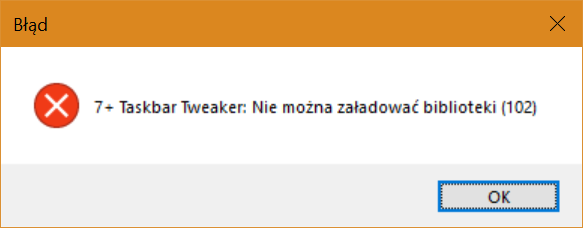
As I said in my other reply, that was an issue related to a faulty update. And since v5.6.1 fixes compatibility with a Windows update which you're probably going to get soon, I suggest to update to v5.6.1.
 Standard window menu on right-click not displayed
Is it a bug that the standard window menu does not display on right-click, only on certain applications? I have only seen this on applications such as Slack and Microsoft Teams.
The standard menu is a Windows feature, and can be activated by holding the Shift key (7+ Taskbar Tweaker merely allows to use it without Shift) and by right-clicking the thumbnail previews. Applications are allowed to customize this menu - for example, Chrome adds items such as "New tab" and "Task manager". Unfortunately, some apps carelessly disable the menu altogether, probably not deliberately, but since the standard menu is not the default since Windows 7 it's not being noticed.
 Right click taskbar item - Ability to change the label/name
A really useful feature would be to be able to right click on a taskbar item, and then be able to change the label/name.

Disable Topmost
Since my Windows 10 Pro desktop system was updated to
Windows Specifications
Edition: Windows 10 Pro
Version: 1809
Installed on: 2/28/2019
I've found that "1 - Not always on top, but not overlapped by maximized windows" no longer works.
I assume this item is on your bucket list of future fixes, but just thought I'd point it out, as I don't see it discussed elsewhere.

kb4482887 x64 causes "Could not load library" error v5.6
After installing this update kb4482887 x64, I'm getting "Could not load library" error. I know it's due to library displacement by the big updates but I didn't think that a lonely update like that can cause that.
Update KB4482887 introduced an incompatibility with 7+ Taskbar Tweaker v5.6. Updating to v5.6.1 should solve the issue.

Implement DesktopBackground context menu to "empty space" option
I have a few custom shortcuts and tools in my desktopbackground context menu and that would be nice to implement that in 7+TT. Like, right clicking on taskbar empty space, so I don't need to minimize opened window, or click "show desktop" right corner, then right-click again on desktop and select context menu item...all that while losing focus on opened page/program.
خدمة دعم العملاء من خلال UserEcho


