0
پاسخ داده شد

Group width issue

ناشناس 12 years پیش به روز شده توسط Michael (Ramen Software) 12 years پیش 4
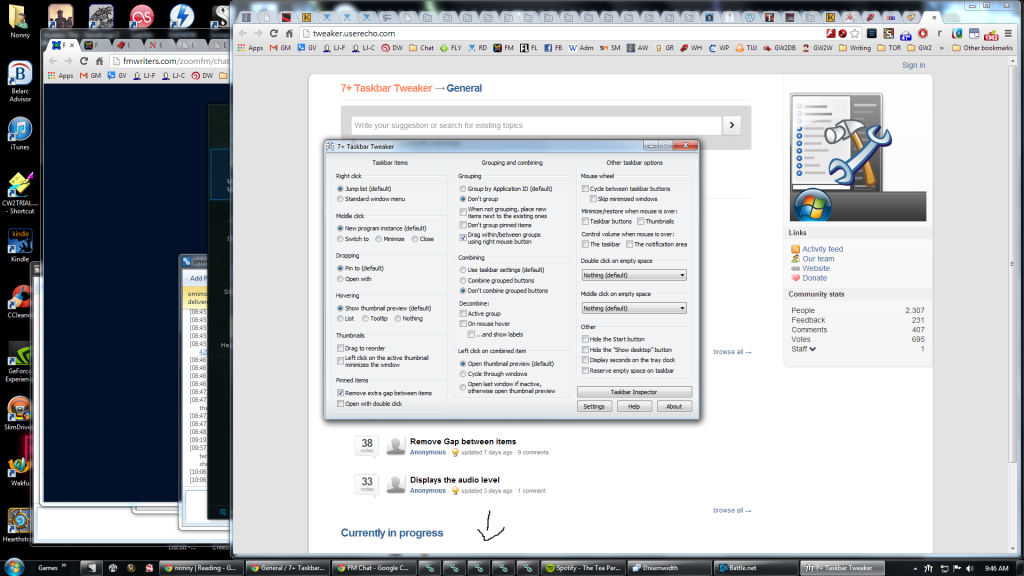
Hi, I have been using Taskbar Tweaker for awhile and have an issue that I'm not sure if it is a bug, or if I've done something stupid. I went to click on an icon on my taskbar, and for some reason, now the group is showing only a minimized icon of the item instead of the full name... even when there is plenty of room on the taskbar. I have gone through options, and nothing seems to fix it, so I don't know if it's something advanced, or something I'm just not noticing. The icons go back to their normal, not minimized nature, like the rest of the icons in the screenshot.

I have a screenshot here: http://i6.photobucket.com/albums/y230/mistressnonny/windows_screenshot_zps1feadfb0.png

Help?? Thanks so much.
0
Not a bug

7+ Taskbar Tweaker does not survive sleep mode

ناشناس 12 years پیش به روز شده توسط Michael (Ramen Software) 12 years پیش 1
After entering sleep, 7+TT often does not survive so one has to start in anew when awaking.
پاسخ
Michael (Ramen Software) 12 years پیش
Closing as a duplicate of:
http://tweaker.userecho.com/topic/382920-after-wak...

You're using Windows 7, right?
All the crash reports specify Windows 7. I'm not sure what causes the issue, except that it's something in the update checker, but seems like it's a Windows-7-only issue.
0

Minimize window on mouse wheel click

ناشناس 11 years پیش به روز شده توسط Michael (Ramen Software) 11 years پیش 1
Is it possible to add an option to minimize a window when click the scroll wheel from the mouse when the pointer is in the window title bar?

I really liked that feature under Linux.

Thanks

0

Bar indicating drive space usage becoming RED.

ناشناس 10 years پیش 0
One thing I'd totally love (and for which I could do another donation) is to tweak the percent of a HD drive before the bar in expolorer indicating space usage is visualized in RED (indicating low space). The bar becomes red when less than 10% are left on the drive. With modern HDs, that would be about 100Gb! It would be nice to be able to set this really annoying visual alarm by an adjustable: 1. fixed amount and/or 2. a percent. Thanks sooo much, and congratulations for this fantastic tool!!!
0

Idea: Centre notification area icons on vertical taskbar (no width-limit)

ناشناس 12 years پیش 0
0

Windows 10 Icon Size like windows 8.

ناشناس 10 years پیش 0
The Windows-10's icons are not filling all the space like in the Windows-8. There is a lot of space between the icon and the icon's box.
0
پاسخ داده شد

i cant figure out how to use taskbar tweaker. I have an icion in the notification area. The help doesn tell we dummies.

ناشناس 13 years پیش به روز شده توسط Michael (Ramen Software) 13 years پیش 0
پاسخ
Michael (Ramen Software) 13 years پیش
You probably don't need it then.
0
انجام شده

download of current version fails (not available)

ناشناس 12 years پیش به روز شده توسط Michael (Ramen Software) 12 years پیش 0
پاسخ
Michael (Ramen Software) 12 years پیش
Should be fixed.
0

Fix Reshuffling of Taskbar Buttons Whenever Windows Explorer Crashes (or Is Killed)

EveryDirection 10 years پیش به روز شده توسط Michael (Ramen Software) 8 years پیش 1

Whenever Windows Explorer (not the whole computer machine/system, but just explorer.exe) crashes (or is killed), when Windows Explorer restarts (again, not the whole computer machine/system, but just explorer.exe), the order of taskbar buttons within a group gets shuffled according to which window was last activated instead of retaining the order before the crash.


Steps to reproduce:


(1) Make sure that grouping is ON and combining is OFF (that is, make sure that "Group by Application ID" is on, and that "Don't combine grouped buttons" is on).


(2) Start up 5 instances/windows of the SAME application (it is important that it be the same application, because the shuffling only occurs within multiple buttons of the same group). We'll refer to these 5 instances, in order from left to right, as Window A, Window B, Window C, Window D, and Window E.


(3) Click on those 5 windows, or their taskbar buttons, in some random order. For example, click on the windows in the order B -> E -> A -> D -> C.


(4) Use Windows Task Manager to first kill explorer.exe. As expected since Explorer has been killed, this will cause the taskbar to temporarily disappear.


(5) Use Windows Task Manager to start explorer.exe again. The taskbar returns -- but the problem is that the taskbar buttons are now arranged in order, from left to right, according to the order in which the windows last received focus (so, using the example above, we would get C -> D -> A -> E -> B, the reverse of the order in which we clicked on the windows) instead of the original order (A -> B -> C -> D -> E).


When Windows Explorer starts again after a crash or kill, Taskbar Tweaker should correctly order the taskbar buttons in the same order they were in before the crash (Taskbar Tweaker should do this either automatically or at an explicit command by the user).


Thanks in advance!

0
Declined

Cannot install update

ناشناس 10 years پیش به روز شده توسط Michael (Ramen Software) 10 years پیش 7
Am getting an error message saying that the update is incompatible with 64-bit Windows:

Image 79

I have tried this update at various times, as I believe that you earlier thought that this was due to excess traffic on the server hosting the update, but I always get the same result. Any ideas? Thanks.