التعليقات الخاصة بك


Hi,
Yes, that's the reason. VirtualWin and similar programs implement their own virtual desktop mechanism, which 7+ Taskbar Tweaker doesn't support.
I tried to reproduce it in many ways, but it doesn't crash for me.
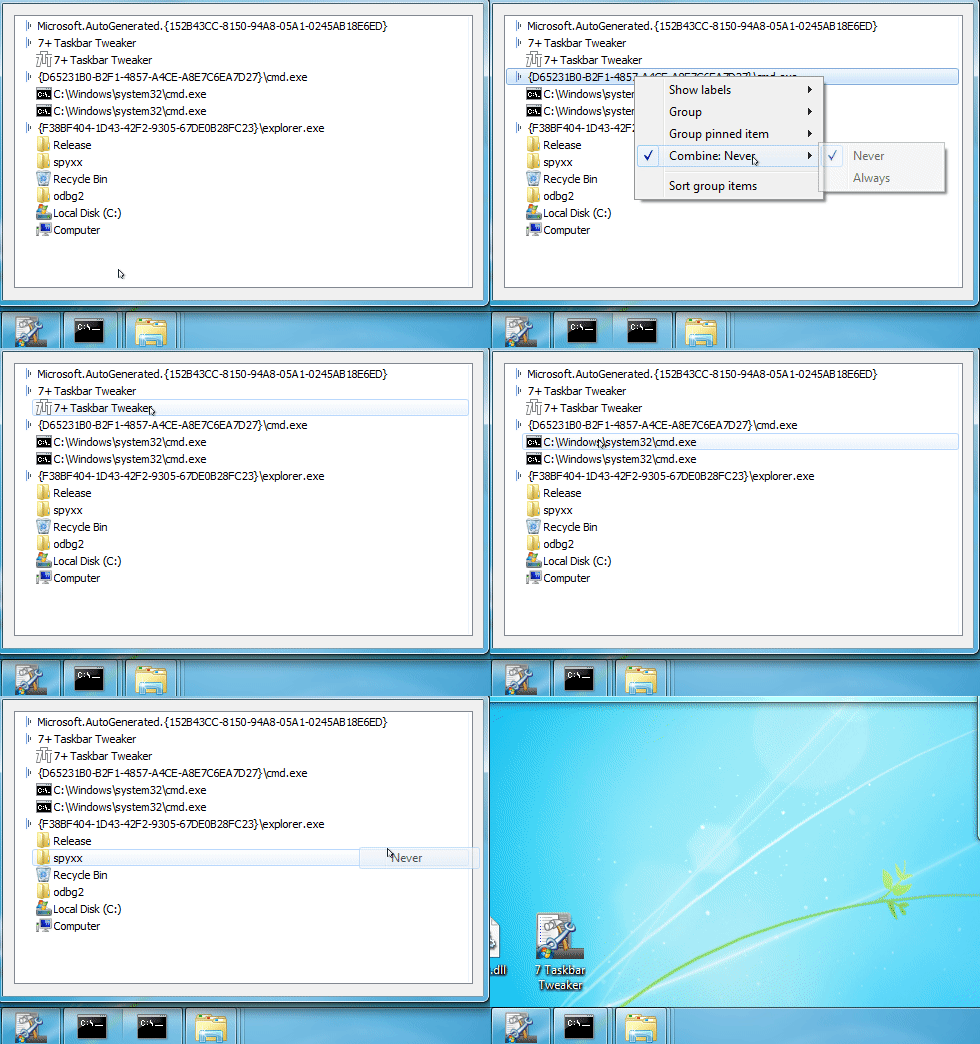
Here's a recording of one of the things I tried:
Insider builds of Windows 10 are not supported by 7+ Taskbar Tweaker.
As far as I understand, you're looking for a way to bring up the taskbar without using the mouse. Is that right?
You can use the winapiexec tool for this, with the following command line parameters:
winapiexec.exe u@SetForegroundWindow ( u@FindWindowW Shell_TrayWnd 0 )
You can create a shortcut with this command line command, and assign a keyboard shortcut for it.
The second request can be done by running 7+ Taskbar Tweaker. See the following guide:
I tried to reproduce it: I've opened many explorer windows (about 20), two cmd windows, and tried to change the settings of cmd. Explorer didn't crash for me.
Again, please provide as much details as possible. Quoting myself, please provide:
- The tweaker options, including advanced options.
- The system settings of the taskbar (taskbar right click -> settings).
- If possible, make a video of the issue.
If possible, it would be very helpful if you could get a clean Windows system, and come up with the exact steps which are required to reproduce the crash.
P.S. on my systems, the AppId of explorer is "Microsoft.Windows.Explorer", not "Microsoft.AutoGenerated.{...}". Is it like this on both of your PCs? If so, how are you launching Explorer? Is it pinned?
Not that I'm aware of.
No, not with the tweaker. The option should be applied the moment 7+ Taskbar Tweaker is launched, but the startup time is determined by the system. It can be as late as several seconds or minutes after the desktop appears, depending on the number of startup application.
I'm closing the issue as it doesn't look like a bug of the tweaker.
7+ Taskbar Tweaker tries to download the file http://rammichael.com/downloads/7tt_setup.exe. If that fails, the error message is shown. Please check whether the file can be downloaded on your computer - perhaps the link is blocked, or your proxy settings are not correct.
خدمة دعم العملاء من خلال UserEcho


Sounds like an issue of Start8.
Why did you post it here? Does 7+ Taskbar Tweaker cause the issue?
Does the issue not happen when the tweaker is not running?