Your comments

I'd be glad to look at it fix it, but unfortunately, without a way to reproduce the issue there's not much that I can do. I assume that a computer restart (or maybe an additional restart of explorer) will fix the issue. You mentioned that you're using other customization programs, so perhaps there's a conflict with one of them.
If you find a way to reproduce it, please provide the reproduction steps.

Do you have the option to check for updates enabled in settings?
I assume that yes since it's the default.
I'm not sure what else to ask. You can revert to 5.9 and do some experiments. Shortly after the first launch, or after disabling and re-enabling update checking in settings, you should see a notification about a new version.
The update checking function works for me, and no other users reported issues about it lately.
This link is used for the update checking:
https://rammichael.com/downloads/7tt_setup.exe?version
Does it work for you?
Also perhaps it's related to your system proxy settings, or some other configuration.
Please make sure that you're using the latest tweaker version, 5.9.1.
Please try to find a way to reproduce the issue. It works for me, it works for other users, so it has to be something with your computer. Perhaps the mouse model or the trackpad, perhaps a conflicting program.
Also, do other options of the tweaker work?
Also please note that the option might not work with some laptop trackpads.

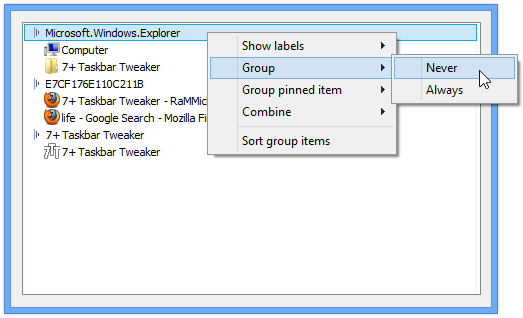
As an alternative possible solution with the current settings, you can choose to hide labels (via Taskbar Inspector) for those apps that you'd move to the right. That way, they won't move all of the taskbar items to the right.
Regarding a visual separator, there's no such functionality but you can use an empty icon as a workaround, see the discussion here:
Regarding "real groups", I don't know what you mean by "real", but you can create a group with either Taskbar Inspector, or by using the "Drag within/between groups using right mouse button" option. Then you can use "Decombine: On mouse hover" and other related options to "close and expand" the groups.
Customer support service by UserEcho


The tweaker doesn't do anything related to auto refresh, so I hardly believe the issue is caused by the tweaker.